
Full Stack Software Engineer CV Example & Template
Stop listing tech, start proving ownership: The 2026 blueprint for a Mid-Level Engineer CV that actually gets read.
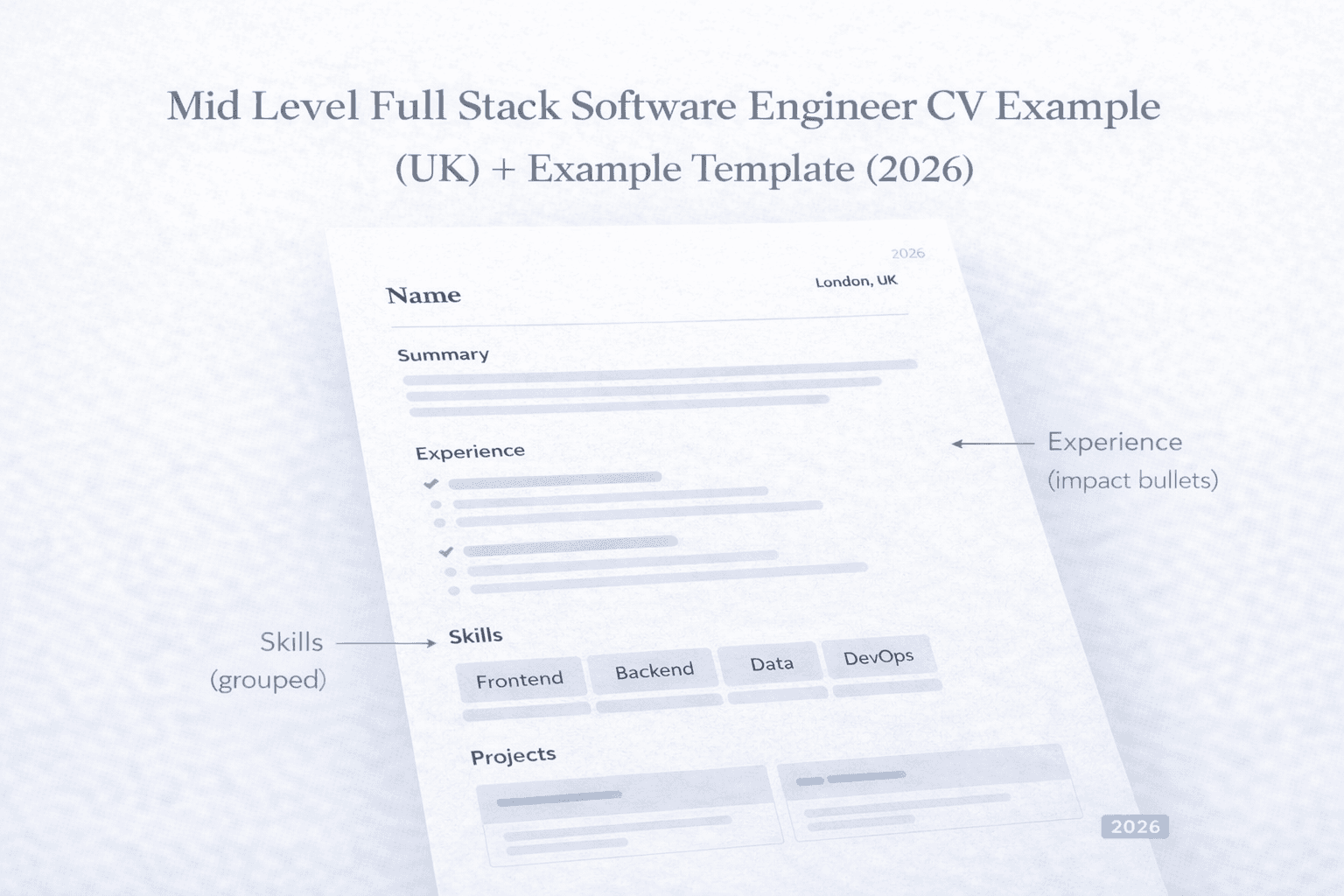
A clean, one-page full-stack CV layout showing grouped skills, impact-led bullets, and projects built for mid-level UK roles.
A strong software engineer CV isn’t about listing everything you touched, it’s about showing what you shipped and what changed because of it. Recruiters want to spot your stack, level, and impact quickly, but many CVs bury that in long bullets or unstructured skills lists. This post gives you a complete CV example you can use to improve your CV or resume.
This post provides
- A complete software engineer CV example
- A breakdown of the structure (summary, skills, experience, projects)
Skip the manual work, upload your CV and use our tailor tool to turn your responsibilities and impacts into clearer, outcome led statements and match them to any role in minutes.
The Mid Level Strategy: Proving "Ownership"
As a mid level full stack engineer, your CV has one primary objective, proving you can own features end to end (Frontend → Backend → Infrastructure) with minimal hand-holding. You are no longer a "task taker", you are a "problem solver" who communicates clearly with Product and Design and fellow engineers.
Section by Section Breakdown
Name and title
Use your first and second name(surname). Your title should match the role you’re applying for (e.g., Full Stack Software Engineer, Full Stack Engineer, Software Engineer) without stretching the truth.
Summary
A summary is a 2–4 line snapshot: your stack, the kind of products you build, and the impact you tend to drive such as performance, reliability, delivery or developer experience.
Experience
You should list two to three experiences relevant to the role you are applying for, too many entries can end up cluttering your CV and cause recruiters to lose focus on the relevant information. Your most recent should be listed first and all the rest in chronological order. Each experience should have a small summary of one to two lines on scope highlighting product, users, team, domain, followed by 3-6 bullet points using a formula such as the Google XYZ method to highlight your contributions and their outcomes.
Skills
You should list your tech skills most relevant to the job as well as grouping them, such as front end skills then backend skills, etc. Then any other skills you have that you are competent in. Do not list every technology you have ever touched, this just causes clutter.
Grouping of skills by relevance first and area of focus ie. backend and frontend skills grouped together allows for recruiters to quickly see if you have the technical skills for the role you are applying for.
Projects
You should definitely list any personal or side projects you have or are working on. This shows that you are improving and honing your craft and signals curiosity and drive which recruiters and hiring managers love. You should limit it to two at most 3 projects if your experience is limited. Each project should include: what it does, who it’s for, stack proof (users/stars/revenue) only if real.
Education
Education should be listed here, however once you get to mid level and upwards education starts to lose its importance. One entry is usually fine. Two max if both are relevant. Keep it simple with institute name, years of study and degree/subject, any notable achievements can be mentioned too.
Certifications
If you have relevant certs, include them but treat them as a signal, not the main story. If space is tight, it’s usually better to keep certifications over older education entries.
For a structured example see the Mid Level Software Engineer CV example
Why this layout works
Bullets
Bullets allow for quick and impactful highlighting of your contributions and impacts in your previous roles.
Structure
The one page CV layout allows for quick scanning by recruiters, whom often only spend around 10s on average scanning a CV.
Grouped Skills
List skills by relevance first and area of focus. Group backend and frontend skills together this allows for recruiters to quickly see if you have the technical skills for the role you are applying for.
Projects
As mentioned above projects show you are inquisitive and focused on continual applied learning. Quite often in an interview a project may be brought up as a talking point so be prepared to talk about it if you highlight it on your CV.
Keywords
Keywords that match the job listing and its requirements appear naturally and with context that help strengthen your CV
Relevant Certifications
Relevant certifications show any professional development you have achieved that align with the role either directly or have relevance.
Summary examples
Backend Focused
Mid-level full-stack Software Engineer with a backend focus, comfortable delivering frontend and backend features end-to-end. Experienced building clean React/TypeScript UIs alongside reliable APIs and services (Node.js), with a strong emphasis on performance, maintainability, and observability. Works closely with product and design to ship pragmatic features.
Frontend Focused
Mid-level full-stack Software Engineer with a frontend focus, comfortable delivering features end-to-end across the UI, API, and data layer. Experienced building fast, accessible React/TypeScript interfaces and working with Java services to ship end to end product changes. Strong UI experience, with solid backend fundamentals and a pragmatic approach to maintainable code. Collaborates closely with product, design, and engineering to deliver impactful features.
Early career/Junior
Early career full-stack engineer working towards a mid-level role, with hands on experience shipping features across React/TypeScript frontends and C# / .Net backends. Comfortable building and integrating REST APIs, working with databases, and taking tasks from brief to release with good code hygiene. Picks up new tools quickly, communicates clearly, and focuses on delivering reliable, user-facing improvements while continuing to grow in system design, performance, and best practices.
Skills
Quite often a full-stack role will more often than not will be more focused on either frontend or backend with responsibilities crossing over to either side. Therefore you should group your skills with the ones closest to the role first. For example a frontend focused role you'd list your skills with React, NextJS, Tailwind first, followed by your backend skills, Java, SpringBoot, API Design, and then following up with supporting skills such as Relational Databases, AWS, etc.
For example: Frontend, Backend, Data, Cloud/DevOps, Testing/Quality
Avoid
-
Avoid giant unorganised lists where relevant skills could get lost in amongst irrelevant or weak skills.
-
“Soft skills” dumping ground. Only list soft skills if they are strong and relevant to the role
-
Listing every tool you’ve touched once.
Example Bullet Points
Below are a few examples of bullet points that cover a full stack engineer role.
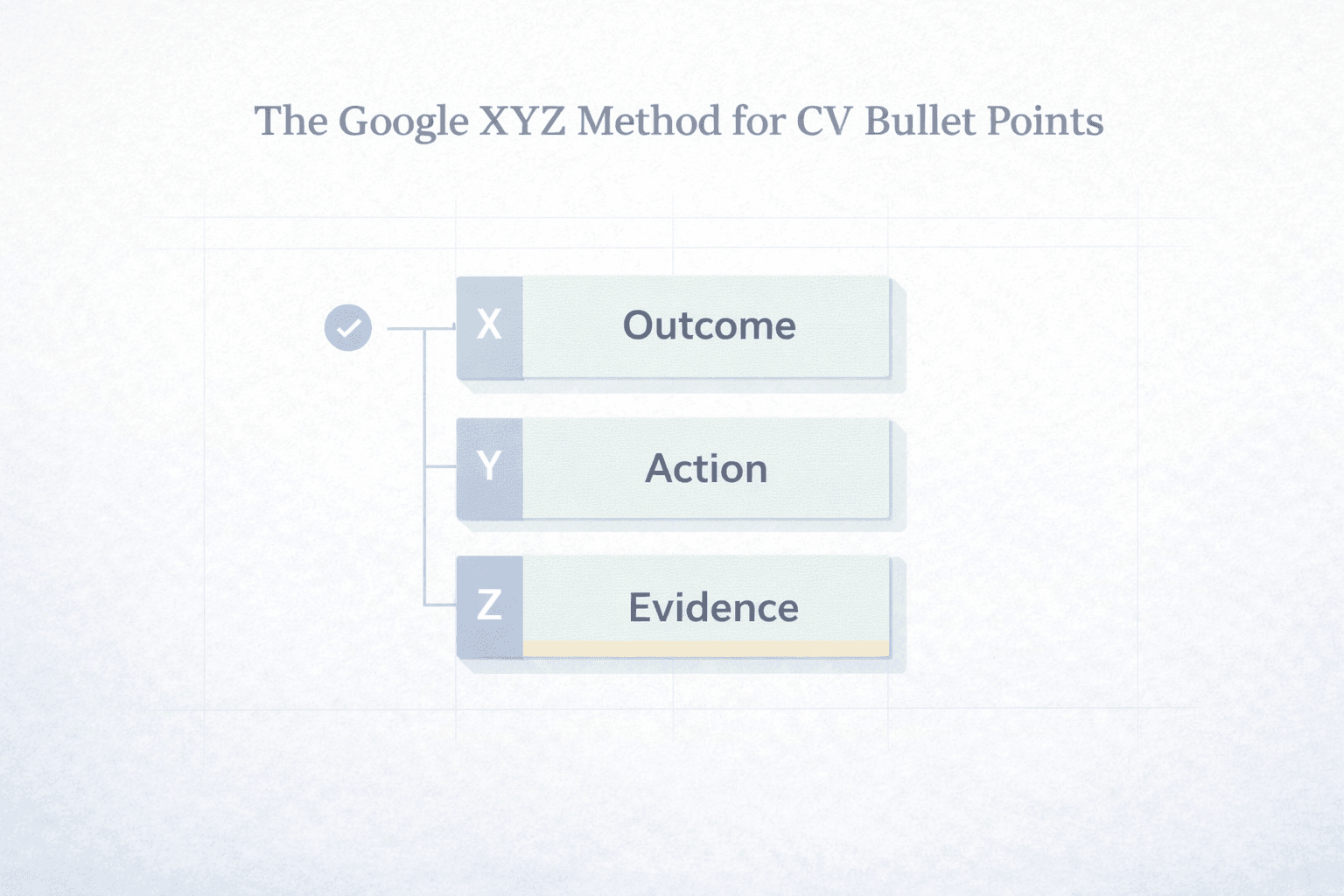
Use the Google XYZ method: Achieved X by doing Y as measured by Z
-
Built and shipped an end to end feature across React UI, Node.js APIs, and PostgreSQL schema changes, coordinating rollout and handling post-release fixes.
-
Reduced page load time by profiling bundle size and rendering hot spots, then implementing code splitting, caching, and component optimisations.
-
Designed and implemented a REST API with validation, pagination, and role-based access control, improving reliability and making integration simpler for the frontend.
-
Improved system stability by adding structured logging, dashboards, and alerting, then using incident notes to prevent repeat issues.
-
Optimised slow queries by adding indexes and rewriting joins, reducing response times for high-traffic endpoints.
-
Set up or improved CI/CD with automated tests and linting, adding safe deploy steps (migrations, feature flags, rollback notes) to reduce release risk.
-
Collaborated with product and design to break down requirements, estimate work, and deliver a phased release without blocking other teams.
-
Refactored a legacy module into smaller components/services, improving maintainability and making future changes faster and safer.
-
Added integration and end-to-end tests for critical flows, reducing regressions and improving confidence in releases.
-
Improved developer workflow by documenting setup and common issues, creating reusable scripts, and tightening PR review guidelines.
Upload your CV and have your bullet points rewritten and aligned to a role using our tailor tool.
Projects Section Examples
A good project should showcase your continued learning and development, a good project may also help fill in skill gaps that you might not use in your current or past roles. This shows recruiters and hiring managers that you take initiative and value continual skills development.
Project layout
-
Your project should describe who its for, or what issue it solves. IF none of those are relevant then what was the aim of the project for example learn functional java programming.
-
If your project is designated for anyone or a group. This would be good to mention as it shows that you identified a problem or gap and tried to solve it.
-
Give a high level overview of the stack used. Languages, frameworks, libraries, 3rd party integrations, etc.
-
If you have any proof of its usage or popularity. Does it generate revenue, mentioning that would be a bonus. Things like Github stars, user counts etc are good indicators.
-
Provide a link if possible for recruiters and hiring managers to have a look for themselves.
Example Projects
-
Open Source project:
- Dev kit, open source terminal setup to get Macbook setup for development quickly, by adding and configuring common libraries and tools. 2.35k Github stars.
-
Personal SaaS
- To Do Master: To Do app that quickly organises todo tasks from google calendar and emails. React, NodeJS, OpenAI APIs, MongoDB.
ATS + formatting rules for engineers
Keep it practical:
-
One page is usually more than enough detail for a midlevel candidate. You should treat your CV as an advertisement of yourself and your skills and abilities. The longer your cv the more chance important details get lost in a sea of irrelevant information.
-
Use clear headings.
-
Avoid icon only contact info identifiers.
-
Don’t be tempted to hide keywords in graphics or otherwise. This can cause the system to filter you out.
-
Ensure your PDF text is selectable and not image based. Image based pdf documents can cause ATS scanners to not extract any information.
Common mistakes
-
Too much tech, listing too much tech and not showing how you leveraged and used the tech.
-
“responsible for…” type sentences and statements.
- doesn’t say what changed because of your work
- doesn’t show scope (users, systems, performance, reliability)
- sounds like a job description
-
Listing every framework or language you've ever used.
-
Missing Ownership: If your CV only says "Assisted in..." or "Helped with...", you won't get hired for a mid-level role. Show where you led.
-
No proof of deployment given (Where applicable) Where possible try show the deployment of your work, this provides evidence and strengthens your statements.
-
No Graphics for Skills: Never use "Progress Bars" for your skills (e.g., React: 8/10). Skill is subjective, results are objective.
Ready to Tailor Your CV?
Recruiters in 2026 expect your CV to match their specific job description perfectly.
-
Upload your existing CV.
-
Paste the Job Description.
-
Let CraftAI CV rewrite your CV for maximum impact.

Related articles
Google XYZ Resume Method: Write Bullets That Show Impact
A complete guide to the Google XYZ resume method: what it is, where it came from, and how to apply it across industries with examples, templates, and an FAQ.

How Long Should a CV Be? Why One Page Wins in 2026
Recruiters spend 7 seconds scanning your CV. Learn when a one-page CV works best, who should use two pages, and how to tailor yours for every role.
Tailor Your CV to the Job Description: A Step-by-Step Guide
Learn how to prepare a CV tailored for any job, step by step. Match keywords, adjust your summary, and show recruiters you're the right fit.